
Explanation:
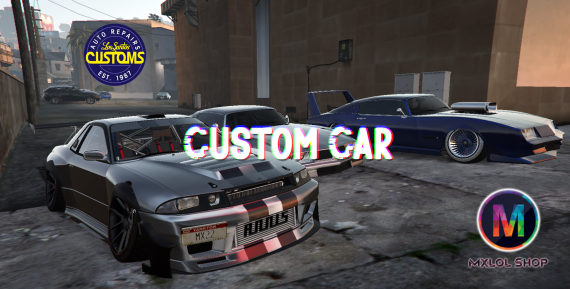
This is the second version of my car customization script 'Mx Custom Car V2'.
Car customization script (LsCustom), interactive and easy to use with a cool designer.
Resources
- Full customization of vehicles.
- New tires (GTA DLC).
Chameleon Colors
Shopping cart list
- You can remove any parts that you no longer want.
- When you remove the part, the customization is removed.
- You can clear the entire cart and cancel customization.
- You can select the payment method.
- Payment: Bank.
- Payment: Cash.
- Payment: Society. (ESX only).
Stancer
- A new type of customization to make cars stylish, for those who enjoy this type of modification.
- You can customize the wheels and suspension of the vehicle any way you want.
- And create some different cars.
Headlight and neon animations
- You can now create custom animations of headlights and neons.
- Usable if the vehicle has the control installed.
- It only works if the vehicle is on and someone is in the driver's seat.
- Default command: /controller. It can be changed in 'config.lua'
Menu to change the vehicle suspension
- Usable if the vehicle has the control installed.
- You can change the vehicle's suspension any way you want.
- Default command: /suspension
- Can be changed in 'config.lua'
Settings (config.lua)
- Default command: /admincustomcar
- At first, the only initial configuration required is to define which framework you are using.
- You can do the rest within the game.
- The script has an in-game interface that helps you configure the script.
- Admin menu to facilitate script configuration.
- Creation of new blips and permissions.
- Modification of existing blips and permissions.
- You can change names, prices and discounts in the vehicle customization menu.
- Translation of the main customization menu.
- Translation of the script in general.
- Easy script configuration via the menu.
- Option to cancel all editing.
- When saving, a separate configuration file is generated, the file 'mxNewConfig.lua' is created in the same location as 'config.lua'.
- It is necessary to open 'mxNewConfig.lua', copy and paste the configuration into the 'config.lua' file and restart the script.
- When modifying the script configuration in the game, the 'config.lua' file loses the comments and becomes a bit messed up, but don't worry, it's backed up.
Database DB
- Everything is created automatically.
Installation
- Installing the script is very simple, just take the 'mx_newcustomcar' folder and place it in your resources folder and start at server.cfg if necessary.
- Now we will have to make a simple modification to the framework.
ESX
- Go to -> '[core] > es_extended > client > functions.lua'
- And search for the function -> 'ESX.Game.GetVehicleProperties(vehicle)'
- And replace with:
function ESX.Game.GetVehicleProperties(vehicle)
if DoesEntityExist(vehicle) then
return exports.mx_newcustomcar:GetProperVehicle(vehicle)
end
end
- Then look for the function -> 'ESX.Game.SetVehicleProperties(vehicle, props)'
- And replace with:
function ESX.Game.SetVehicleProperties(vehicle, props)
if DoesEntityExist(vehicle) then
exports.mx_newcustomcar:SetProperVehicle(vehicle, props)
end
end
QBCore
- Go to -> '[qb] > qb-core > client > functions.lua'
- And search for the function -> 'QBCore.Functions.GetVehicleProperties(vehicle)'
- And replace with:
function QBCore.Functions.GetVehicleProperties(vehicle)
if DoesEntityExist(vehicle) then
return exports.mx_newcustomcar:GetProperVehicle(vehicle)
end
end
- Then search for the function -> 'QBCore.Functions.SetVehicleProperties(vehicle, props)'
- And replace with:
function QBCore.Functions.SetVehicleProperties(vehicle, props)
if DoesEntityExist(vehicle) then
exports.mx_newcustomcar:SetProperVehicle(vehicle, props)
end
end
Server GameBuild
- It is necessary to modify the Game build of your server to 2802 higher +
- If you use TxAdmin, just go to Setting, FxServer and add
+set sv_enforceGameBuild 2802
- Or directly in server.cfg
set sv_enforceGameBuild 2802
Some vehicles
Remembering that, if you change the name of the script, you need to change the name in exports, otherwise there will be no problem
That's it, everything should work correctly.